
Designing around the iOS constraint: making Hafnova’s DoHzel DNS protection simple for everyone.
Mobile DNS protection cannot be switched on automatically. On iOS, if the user does not authorize it themselves in system settings, they are not protected at all. In a two-week sprint I redesigned Hafnova’s DoHzel app around that hard constraint, turning the fragile activation step into a guided journey and making a technical security product feel simple for a non-technical audience.
The project in ten seconds.
A security product meant to be accessible to everyone.
Hafnova is a Swiss cybersecurity company specializing in DNS-layer protection and threat intelligence. DoHzel is its DNS-security product line. On mobile it extends protection to smartphones and tablets, on iOS and Android, with both a consumer (B2C) and a business (B2B) side, focused for now on the Swiss market.
The app is positioned as a security solution meant to be accessible to everyone, including non-technical users. The redesign existed to live up to that positioning.
The one step that protects you is the one most likely to fail.
DNS protection on mobile cannot be turned on automatically. On iOS especially, the product cannot be activated programmatically: the user has to go into system settings and authorize it themselves. This step was easy to fail, and a user who does not complete it gets no protection at all.
Three other gaps compounded it. The app was not approachable enough for a general-public audience. The user flows were fragmented instead of one simple protection journey. And Hafnova did not have a clear picture of who its users actually were.
Make mobile protection simple, approachable, and scalable, while learning who the users are.
Consumers / families (B2C)
Simple, accessible mobile protection, with the ability to invite relatives into a shared, protected network.
Business users (B2B)
Protection for professional use, with an admin able to manage user rights across the network.
Hafnova (product & business)
A clearer understanding of who the users are, paywall variants ready to test, and a reusable design system.
A hard platform limit, a two-week box, and two audiences in one app.
The platform constraint was hard: iOS does not allow DNS protection to be activated programmatically. The design had to work around the limitation rather than remove it.
The work was timeboxed to a two-week sprint. Two audiences had to coexist in one app, which forced distinct B2C and B2B flows. And the design had to stay easily extensible for future needs so it could scale beyond the screens in scope. Budget, exact team size, and explicit out-of-scope boundaries are not documented.
What I owned.
I led the product and UX-UI design. I was responsible for the redesign of the DoHzel mobile interfaces on iOS and Android, with accessibility as the primary focus so the app would be usable for a general-public audience.
I also wrote the in-app copy for a non-technical audience, mapped and consolidated the user flows in Figma including the separate B2C and B2B paths, designed the in-app onboarding survey and the paywall variants, and delivered a small reusable design system, a clickable Figma prototype, and Jitter animations.
Design around the constraint, make it simple, de-risk the unknowns.
The strategy was to design around the platform constraint rather than fight it, make a technical product feel simple and graphic for a general public, reduce audience uncertainty early, and leave behind something the team could reuse and scale.
In practice: map and consolidate the fragmented paths into one coherent protection journey, design the guided activation including the iOS settings step, build an onboarding survey at the start of the app split into B2C and B2B, design a home screen that makes protection tangible with blocked requests and a score, produce paywall variants for direct user testing, and hand off a clickable prototype, Jitter animations, and a small design system. The survey, the variant testing, and the design system each de-risked a different unknown.
Four calls that shaped the redesign.
01
Guide the manual step instead of fighting iOS
The product cannot be activated automatically; on iOS the user necessarily has to open system settings. Rather than treat that as a dead end or leave it to chance, I designed a step-by-step proposal that walks the user through authorizing and activating DNS protection, mapped directly in Figma. The tradeoff: accept the manual step as unavoidable, and invest the design effort in making it foolproof.
02
An onboarding survey that splits into two flows
To address the “we do not know our users” problem, I put a survey at the very start of the app, asking about cybersecurity knowledge, the main objective (work, company, or personal use), and whether they want personalized advice or to help improve the app. Because the product spans consumer and business use, this intentionally produced two distinct flows, B2C and B2B, instead of one compromised path.
03
Multiple paywall designs instead of one
I designed the paywall as several proposals instead of committing to a single solution, so the team could pick and test the variant that resonates most with users directly, choosing learning speed over a single upfront bet.
04
Design for a general public and for scale
Since the app targets a general-public audience, I prioritized a visually strong, graphic design paired with clear copywriting, and kept everything easily scalable by delivering a small, reusable design system instead of one-off screens.
What shipped, and the problem each piece solved.
01
Guided activation flow
Step-by-step guidance to authorize and activate DNS protection, including the unavoidable iOS settings step.
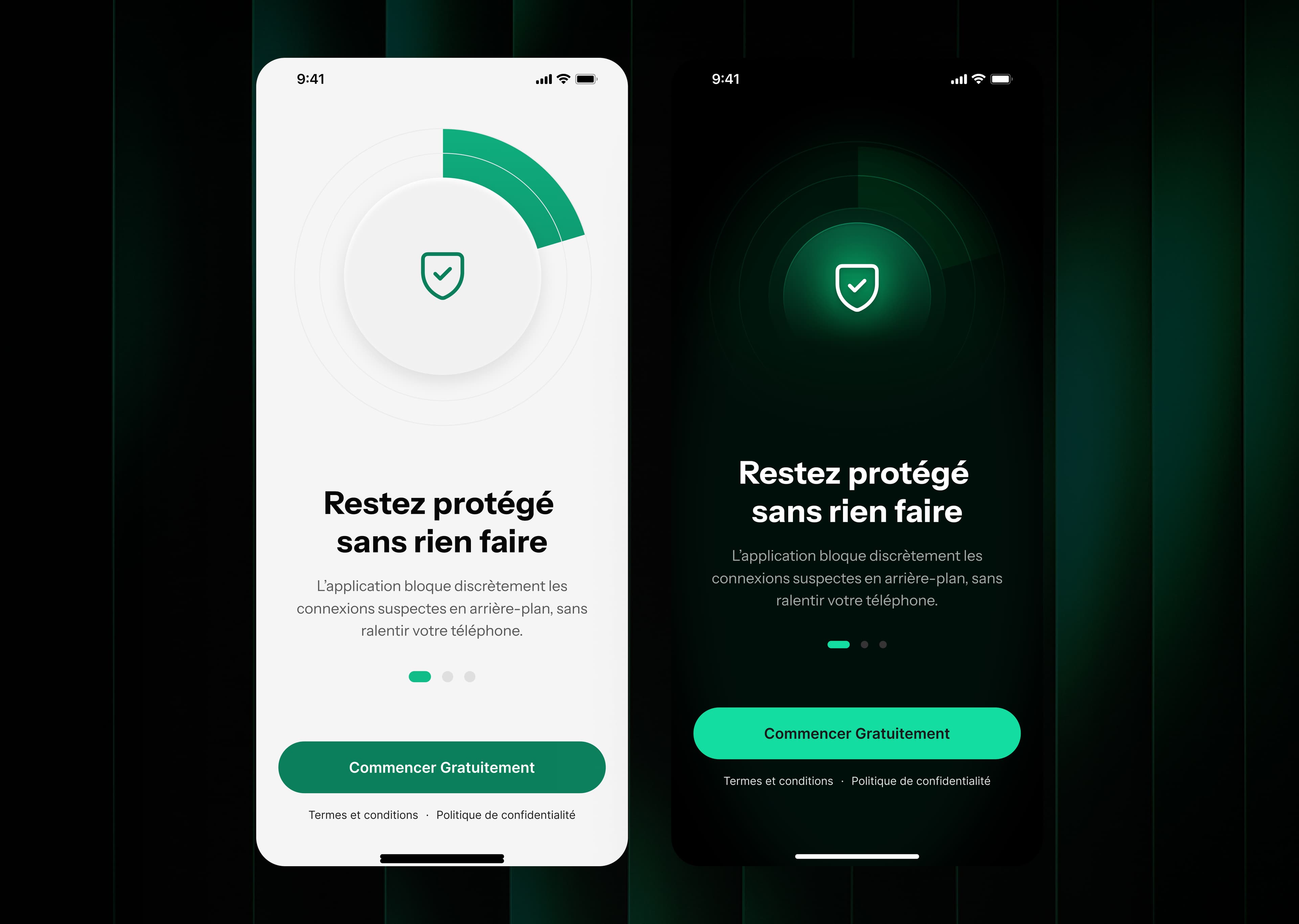
An animated entry that sets a friendly, approachable tone before any security jargon appears.
02
Redesigned home screen
Protection made visible through blocked requests, threats avoided, and safe sites visited with a score.
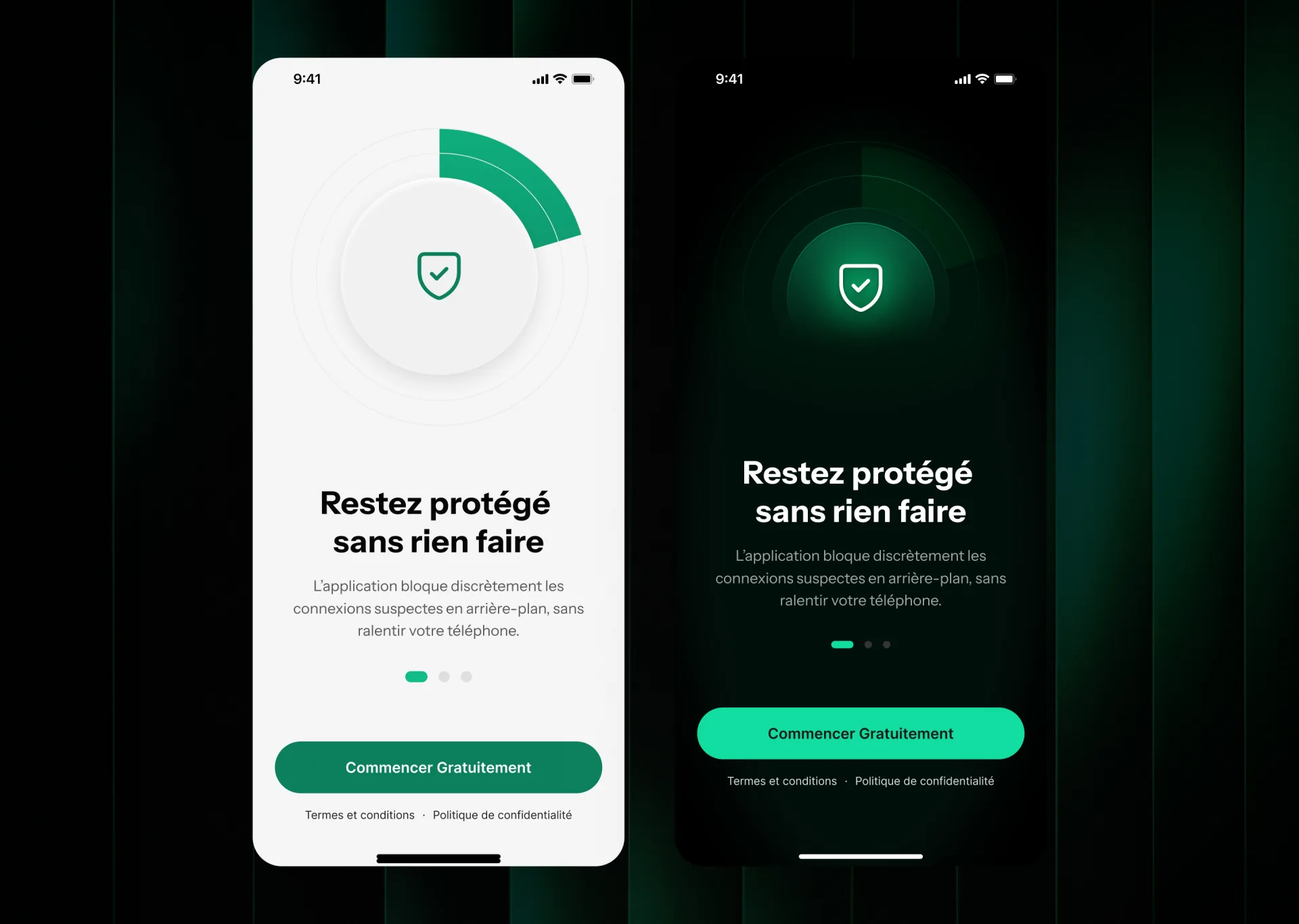
Protection made tangible: blocked requests, threats avoided, and a clear safety score.
03
Onboarding surveys
Two start-of-app flows, B2C and B2B, that profile the user and reduce audience uncertainty.
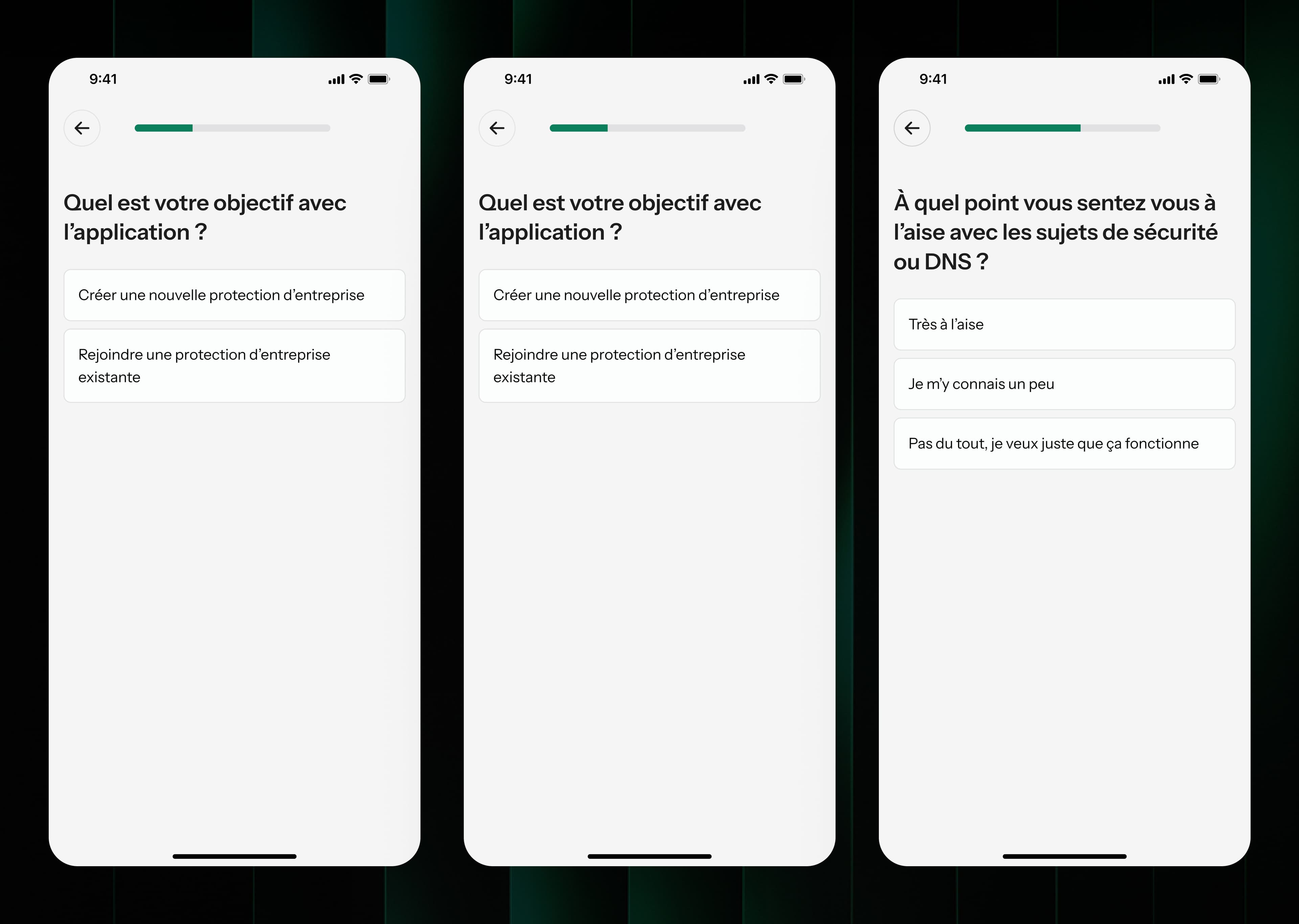
A short profiling flow at the very start, splitting into B2C and B2B so the team learns who each user is.
04
Shared network
Invite relatives into a protected network, with admin management of user rights for business use.
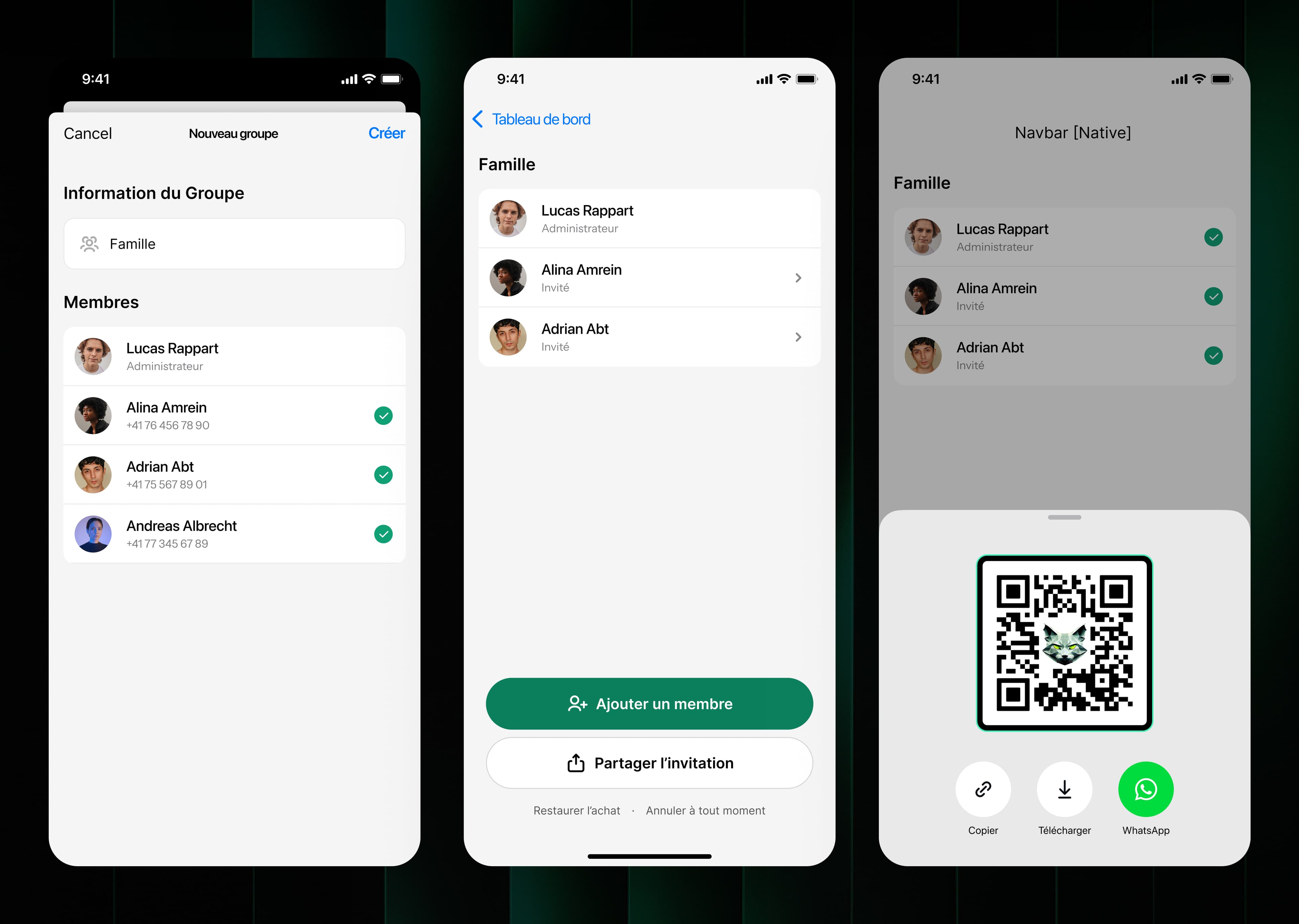
Bringing relatives into one protected network, the core of the consumer use case.
05
Paywall variants
Several paywall designs built specifically to be tested with real users.
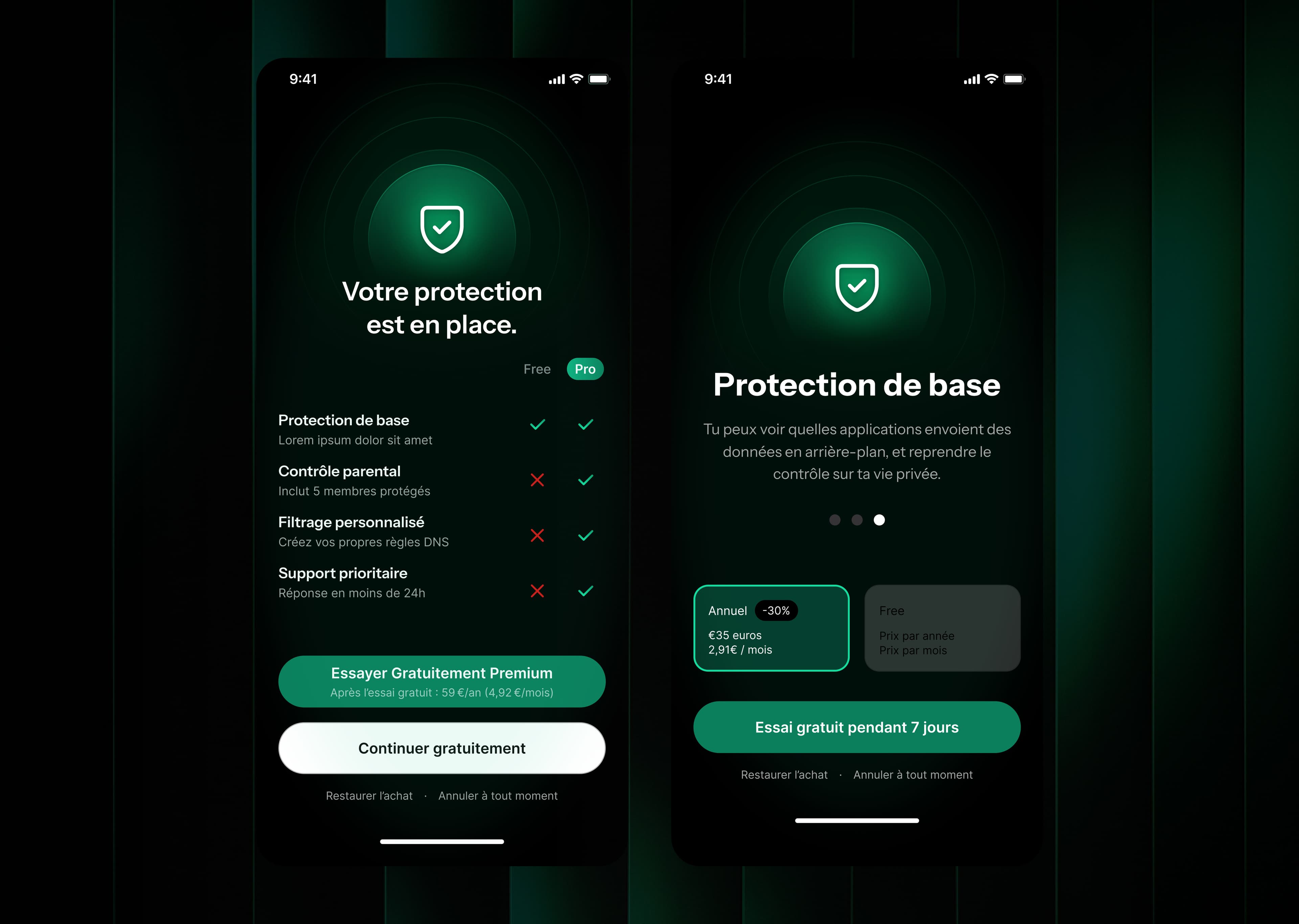
One of several paywall designs built specifically to be tested with real users.
06
Prototype & design system
A clickable Figma prototype with Jitter animations and a small reusable design system.
What was delivered.
2 weeks, end to end
Guided, foolproof
Prototype + design system
Honest note: launch, adoption, and business metrics are not available yet. A measurable outcome or a client quote will be added here once known.
When you cannot automate the right behaviour, make it foolproof.
The core lesson from this project is one of method. When a platform makes the right behaviour impossible to automate, like iOS DNS activation, the highest-leverage design move is to accept the constraint and make the unavoidable manual step foolproof, rather than design as if the constraint did not exist.
DoHzel is still in market.
Hafnova is active and DoHzel remains its DNS-security product line, with DoHzel Mobile and the consumer DoHzel Family offerings still in market.
Whether this specific redesign shipped, and in what form, is not yet confirmed and will be updated once known.